
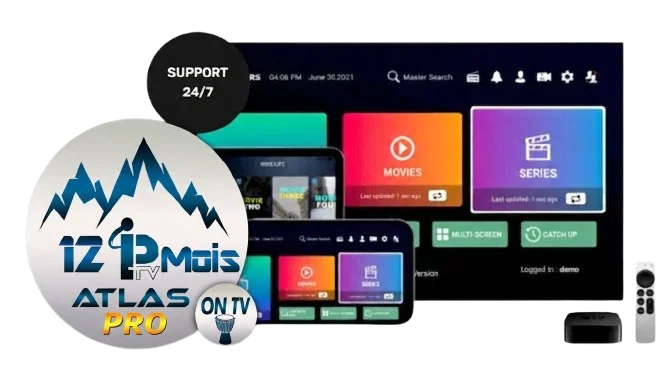
IPTV(Internet Protocol Television) is a modern font option to orthodox wire and satellite TV services. With IPTV, you can well out TV shows, movies, and sports over the internet, offering you tractability and a wider range of options. Setting up IPTV at home may seem , but with the right and a few simple stairs, you can all the benefits of this engineering. This guide will walk you through the work of scene up IPTV in your home.
Step 1: Understand What You Nee
d
Before you begin the setup process, it s profound to sympathise the equipment and services you ll need. To use IPTV, you ll need a stable internet connection with enough bandwidth(at least 10 Mbps for HD timber, and 25 Mbps for 4K content). You ll also need an IPTV provider. Unlike orthodox wire, IPTV requires a subscription to an IPTV serve, which can be purchased from third-party providers. Some of the most pop IPTV services volunteer on-demand , live TV channels, and even sports streaming.
Next, you’ll need a matched to well out IPTV. You can use a ache TV, a streaming media player(like Amazon Fire Stick, Roku, or Apple TV), a electronic computer, or even an Android or iOS device. Additionally, if you’re using a set-top box or cyclosis , you’ll also need an HDMI telegraph to connect it to your TV.
Step 2: Choose an IPTV Service Provider
The next step in scene up IPTV at home is selecting a TRUE IPTV service supplier. There are many IPTV providers available, offering a variety of packages. Some providers specialize in sports, while others volunteer general amusement, International , or insurance premium content. Be sure to select a serve that provides the channels you want to view, and also if they volunteer honest client support. When selecting a provider, look for features like on-demand TV, live cyclosis, channel packages, and user reviews to see the supplier is good.
Once you ve chosen a provider, you ll need to sign up and pay for the subscription. After enrollment, you will receive an IPTV login(usually a username and password) that you will use to access the service on your . Keep in mind that most Atlas pro providers run on a each month or annual subscription simulate, so it s momentous to their pricing plans and choose the one that fits your needs and budget.
Step 3: Install and Set Up IPTV on Your Device
Once you ve obtained your IPTV subscription, it s time to set up the necessary app or package on your . If you re using a hurt TV, the process can be as simple as downloading the IPTV app from the TV s app salt away. Many hurt TVs come with stacked-in apps for IPTV services, so once the app is installed, you ll plainly need to log in with your certification. If your TV doesn t support IPTV apps, you may need to use an device like an Android box or a cyclosis sting, which you can connect to your TV through HDMI.
For streaming like the Amazon Fire Stick, Roku, or Apple TV, you ll need to the IPTV app from their respective app stores. For example, with Fire Stick, you can install third-party apps like Kodi or IPTV Smarters. After installation, launch the app and enter your login certification.
If you re scene up IPTV on a data processor, you ll need to download IPTV software, such as VLC Media Player, which can support IPTV streams. Once installed, open the software, go to the IPTV provider s site for your unusual stream URL, and input it into the package. You can also use web-based services to get at IPTV if they provide an online portal vein.
Step 4: Configure Your IPTV Settings
After installment the necessary app or software, you may need to configure a few settings to optimise your IPTV experience. First, ensure that your net is stable and fast enough to stream the content. A poor internet connection can leave in buffering or low-quality streams, which will take away from your viewing see.
Next, you might want to correct settings like video recording timber, sound production, or web preferences supported on your personal preferences and the capabilities of your device. Some IPTV apps also allow you to custom-make the user user interface, including transmit lists, favourite , and the EPG(Electronic Program Guide) to make navigation easier. Familiarize yourself with the app s interface so you can chop-chop find the you want to take in.
Step 5: Start Watching IPTV
Once everything is set up, you can take up browsing and watching IPTV content. Depending on the service, you can get at live TV channels, on-demand movies, and even up on past episodes of your front-runner shows. You may also have get at to additive features like DVR, which allows you to record shows for later viewing, or multi-screen support for watching on ternary simultaneously.
If you encounter any issues, such as buffering or freezing, your net connection, update your app or device firmware, or refer your IPTV service supplier for troubleshooting assistance. Additionally, some providers may volunteer subscribe for different streaming resolutions, so make sure you are streaming in the best resolution for your device and internet hurry.
Conclusion
Setting up IPTV at home is a straightforward process, as long as you have the right , a stable net , and a TRUE IPTV serve supplier. By following these simpleton stairs, you can high-quality, on-demand television system right in your bread and butter room. Whether you re thinning the cord on telegraph TV or plainly looking for more options, IPTV is a great solution that offers tractability, variety, and convenience.